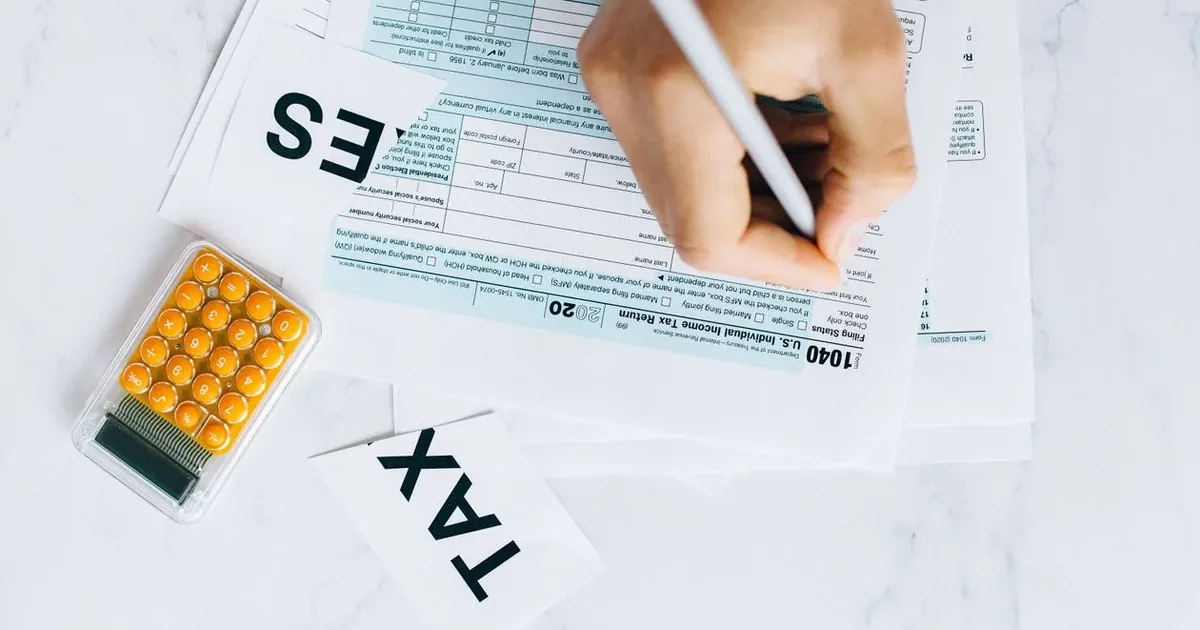
Form 1040-ES is the IRS form self-employed workers use to calculate and pay 2026 estimated tax. It combines a worksheet for projecting your tax with payment vouchers for each quarterly installment. If you expect to owe at least $1,000 after withholding, this form keeps you compliant with the pay-as-you-go system.
What is Form 1040-ES and what are the payment vouchers for?
Each year the IRS publishes Form 1040-ES, Estimated Tax for Individuals, so people whose income is not subject to withholding can calculate and pay their estimated tax. That covers freelancers, independent contractors, gig workers, landlords, and anyone with substantial investment income.
The form has two parts that serve different jobs. First, the Estimated Tax Worksheet: you work through it to arrive at your total expected tax for the year, then divide by four to get each quarterly payment. Second, the payment vouchers: the four tear-off slips at the end of the form. You only use a voucher if you pay by mail, and each one carries your name, address, Social Security number, and the amount for one installment so the IRS credits your payment to the right quarter.
People often get confused about what actually gets sent in. The worksheet stays with your records; only the vouchers travel with mailed payments, and you do not file Form 1040-ES itself with the IRS. If you pay electronically, skip the vouchers entirely and the payment is tracked through your IRS account. Report all your estimated tax payments on your 2026 Form 1040 so they are credited against your final bill. (Sources: IRS, Estimated tax FAQ; IRS Tax Tip 2026-69)
Who needs to file or pay with Form 1040-ES in 2026?
The IRS says individuals, including sole proprietors, partners, and S corporation shareholders, generally must make estimated tax payments if both of these apply:
- You expect to owe at least $1,000 in tax for 2026 after subtracting your withholding and refundable credits.
- Your withholding and refundable credits will be less than the smaller of 90% of the tax shown on your 2026 return or 100% of the tax shown on your 2025 return.
Estimated tax covers more than income tax. It also covers self-employment tax and other taxes such as the alternative minimum tax. That is why freelancers often hit the $1,000 threshold sooner than they expect.
If you do not pay enough by each due date, the IRS may charge an underpayment penalty even if you end up getting a refund when you file. Our Quarterly Estimated Tax: The Complete 2026 Guide for Self-Employed Workers explains how the penalty is figured.
(Source: IRS, Estimated tax FAQ)
2026 estimated tax payment deadlines
For tax year 2026, the IRS splits the year into four uneven payment periods. Note the periods are not true calendar quarters: the second one covers only April and May.
| Payment | Income period | Due date |
|---|---|---|
| 1st | January 1 to March 31 | April 15, 2026 |
| 2nd | April 1 to May 31 | June 15, 2026 |
| 3rd | June 1 to August 31 | September 15, 2026 |
| 4th | September 1 to December 31 | January 15, 2027 |
If a due date falls on a Saturday, Sunday, or legal holiday, your payment is on time if you make it the next business day. For 2026, none of the four dates need that shift.
Two details are easy to miss. First, you can pay more often than quarterly: weekly, biweekly, or monthly payments count as long as you have paid enough by the end of each payment period. Second, you may skip the January 15, 2027 payment if you file your complete 2026 return by February 1, 2027 and pay the entire balance with it.
For a full walkthrough of each date, see 2026 Quarterly Tax Deadlines: The 4 Dates Self-Employed Workers Can’t Miss.
(Source: IRS, Estimated tax FAQ)
See what you’d owe with our free 1099 tax calculator →
How to fill out Form 1040-ES: the worksheet, step by step
Download the 2026 Form 1040-ES from IRS.gov and work through the Estimated Tax Worksheet. The summary below follows the worksheet’s logic section by section, so you know what each part is asking for. Keep your 2025 tax return nearby for reference.
Step 1. Project your adjusted gross income (AGI). List every source of income you expect in 2026: freelance and contract income, wages, interest, dividends, capital gains, rental income, retirement distributions. Then subtract the adjustments you expect to claim, such as the deductible part of self-employment tax, retirement plan contributions, and student loan interest.
Step 2. Figure your deductions. Subtract the 2026 standard deduction for your filing status, or your expected itemized deductions if they are larger.
Step 3. Compute your expected income tax. Apply the 2026 federal tax brackets and rates to your projected taxable income, then add any additional taxes you expect to owe, such as the alternative minimum tax.
Step 4. Add self-employment tax. If you expect net self-employment earnings of $400 or more, the worksheet brings in the Self-Employment Tax Worksheet. You figure 15.3% of 92.35% of your net earnings for Social Security and Medicare. The Social Security portion applies up to the 2026 wage base of $184,500.
Step 5. Subtract credits and withholding. Reduce the total by every credit you expect to claim and by any tax you expect to be withheld from wages or other income. The result is your required annual payment: the total estimated tax you must pay across the four installments.
Step 6. Divide by four. Split the required annual payment into four equal installments. If your income arrives unevenly through the year, the worksheet also supports an annualized income method that lets you match payments to when the income actually came in.
Redo the worksheet whenever your income changes midyear. Updating it in June or September keeps your later payments aligned with reality instead of a January guess. If you want a quick starting number first, our free 1099 tax estimator gives you a rough estimate in a few minutes.
How to pay estimated taxes online
You do not need the paper vouchers to pay. The IRS lists these electronic options for estimated payments:
- IRS Direct Pay. Pay directly from your checking or savings account with no fee and no enrollment. You get instant confirmation, and you can schedule ahead and change or cancel up to two business days before the scheduled date.
- Your IRS online account. Sign in and pay from your bank account while viewing your balance and payment history in one place.
- Advance scheduling. IRS Direct Pay and your IRS Online Account both let you schedule estimated payments in advance, which removes the risk of forgetting a deadline. (EFTPS no longer accepts new enrollments from individuals, so it is not an option for most self-employed taxpayers.)
- Debit or credit card. Pay online, by phone, or with a digital wallet such as PayPal or Click to Pay through IRS-approved third-party processors. The IRS charges no fee, but the processor charges a convenience fee, so compare processors for your card type and amount.
- IRS2Go app. The free mobile app links to the same Direct Pay and card payment options as IRS.gov, so you can pay from your phone. It is available for iOS, Android, and Amazon devices.
One routine that works well for most freelancers: use IRS Direct Pay to schedule all four quarterly payments at the start of the year, since payments can be scheduled up to 365 days in advance. That removes the risk of forgetting a deadline, and you can still change or cancel a payment later if your income changes.
(Sources: IRS Taxpayer Advocate Service, Making a tax payment; IRS, Estimated tax FAQ; IRS payments)
How to pay by mail with the Form 1040-ES voucher
You can still mail a check or money order if you prefer paper. The steps matter, because a sloppy voucher can delay the IRS crediting your payment.
- Complete one payment voucher from Form 1040-ES for the installment you are paying. Make sure your name, address, and Social Security number are filled in.
- Make the check or money order payable to “United States Treasury” and write “2026 Form 1040-ES” plus your SSN on it.
- Mail the voucher and payment to the IRS processing center for your state, as listed in the 1040-ES instructions. Mail it early enough to arrive by the due date.
- Do not send the worksheet itself. The IRS does not want it and does not process it.
Keep a copy of each voucher and receipt. You will need them if the IRS questions a credit when you file your 2026 return.
The safe harbor rule, in brief
You do not have to predict your 2026 tax exactly. The IRS offers safe harbor thresholds that protect you from the underpayment penalty as long as your estimated payments plus withholding reach the smaller of:
- 90% of the tax shown on your 2026 return, or
- 100% of the tax shown on your 2025 return (the 2025 return must cover a full 12 months).
If your 2025 AGI was more than $150,000 ($75,000 if married filing separately), that second figure becomes 110% of your 2025 tax. The prior-year method is popular with self-employed workers because it turns an unknowable number into a fixed target: take last year’s total tax, divide by four, pay on time. For examples, see Safe Harbor Rule for Self-Employed Workers.
(Source: IRS, Estimated tax FAQ)
Common mistakes to avoid with Form 1040-ES
- Paying only income tax and forgetting self-employment tax. The worksheet includes both, and the $1,000 threshold counts both. New freelancers miss this more than anything else.
- Skipping the June 15 payment. It lands just two months after April 15, and people who think of payments as truly quarterly let it slip.
- Sending in the worksheet. It is for your records. Mailing it does not count as a payment.
- Leaving your SSN off the check. A missing SSN can delay crediting the payment to your account.
- Never revisiting your number. Update the worksheet after a big client win, a dry spell, or any midyear change so you neither underpay nor overpay.
—
By Casey Renee Tom | Reviewed November 2026 for tax year 2026
This article is educational content about federal estimated taxes and is not tax or legal advice. Tax rules change, and your situation may differ. Confirm figures on IRS.gov or consult a qualified tax professional before making payment decisions.
Run your 2026 numbers with our free tax tools →
References
- IRS FAQs: Estimated Tax for Individuals
- IRS Tax Tip 2026-69: Estimated taxes aren’t just for the self-employed
- Taxpayer Advocate Service: Making a Tax Payment
- IRS Payments
- IRS Form 1040-ES (2026), Estimated Tax for Individuals